Real Odds, Real Bets
Simulate Sports Betting
My Role
Individual design contributor. Branding, end-to-end user flow, refining the user experience and supporting developers to realise the end goal.
The Problem
Reduced betting market during off season
During off seasons there are limited events and users didn't have much choice in betting opportunities. Users wanted a quick game between moments, or a social space to hang out with entertainment.
User Research
Quantitative Research
From data gathered we identified 2 main access channels and user types.
The online retail users who access via mobile — the main form of internet access. Most would be on an Android device 1-2 years old.
The cashier users, whose access to any product would be from a shop. They're exposed to marketing materials and try out products promoted to them in these shops.
Qualitative Research
We partnered with local teams as local knowledge is vital. We asked what users do when there are fewer sporting events. Most would fill time with casino games or football-related mobile games.
In shops, users chose to place bets via cashiers or self-service tills — largely due to trust and the desire for physical interaction. These shops had become social gathering spots.
The Idea
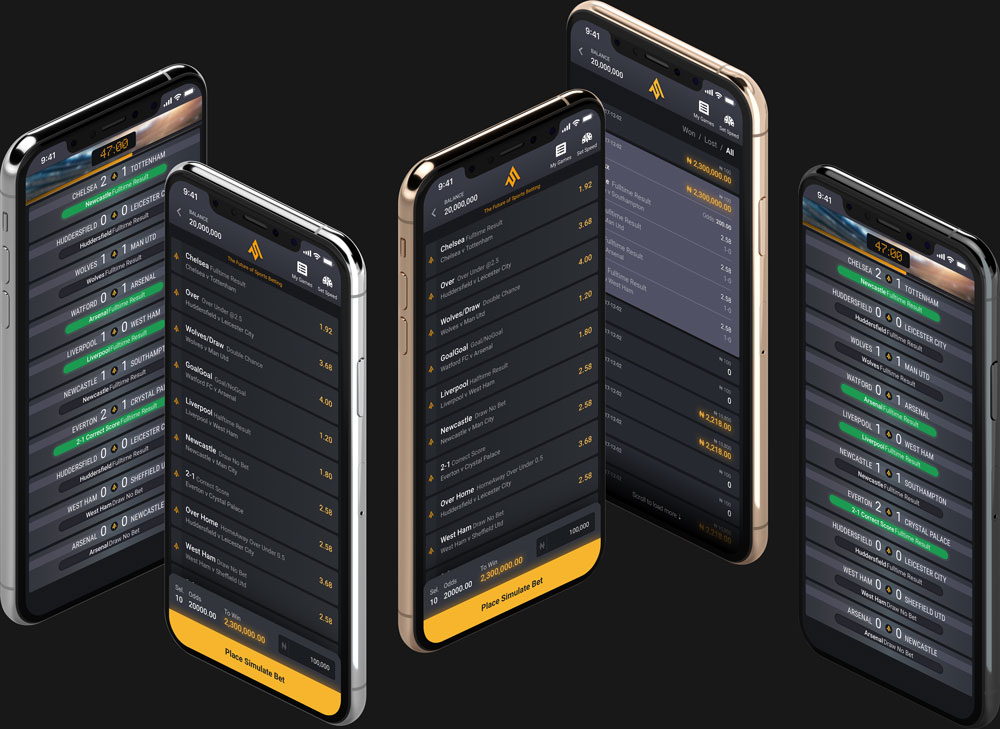
The user is able to use real odds to place a bet on a simulated outcome. The bet settles immediately, and to prolong opportunities the user can bet again — each bet triggers a re-simulation.
93% of host website users were on mobile, so for the MVP this would be the first group to build for.
We had a ripe launch environment, leveraging the popularity of the host and user demand.
The User &
Data Flow
Entering the simulation
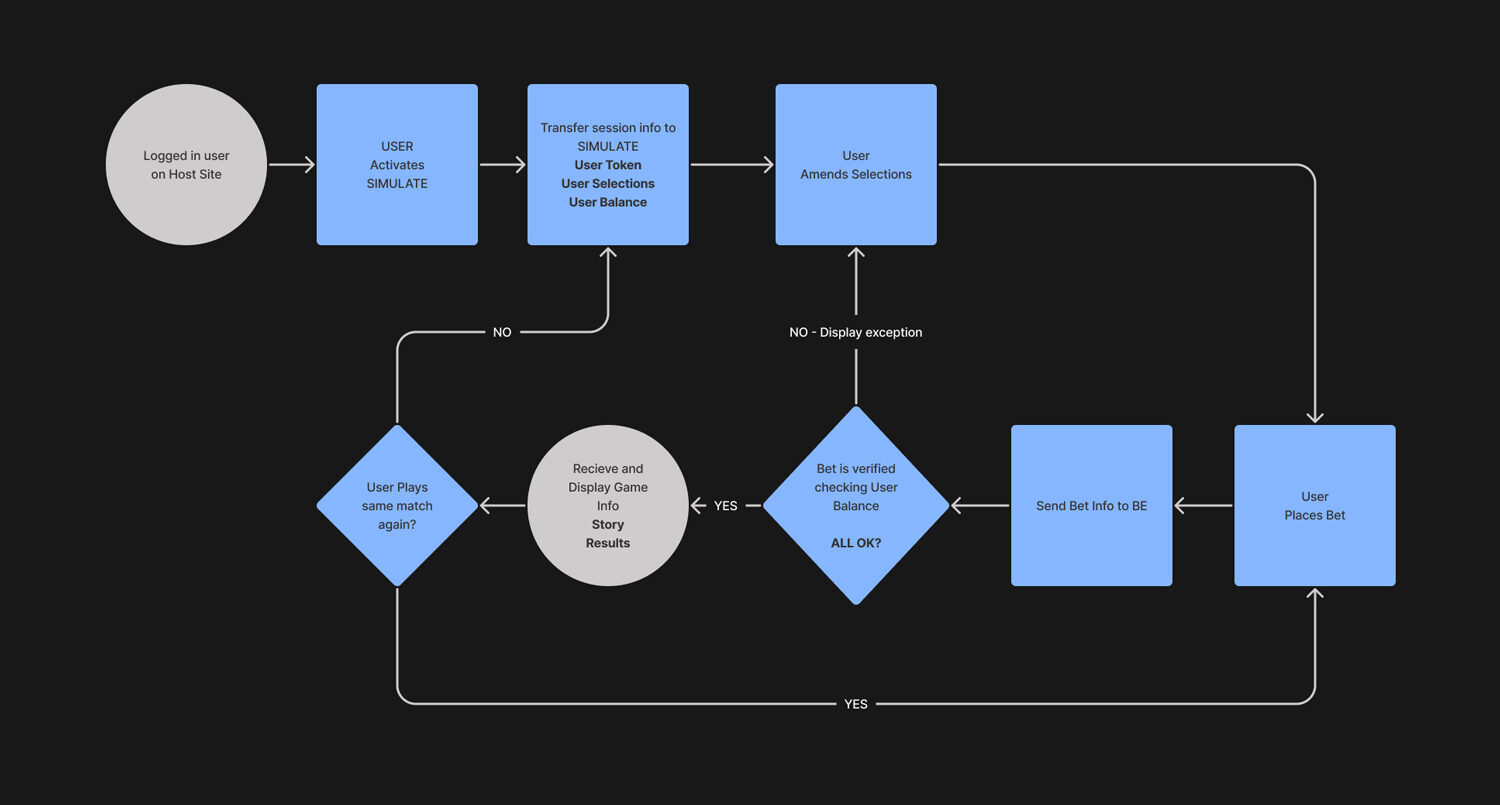
The logged-in host user enters via a switch on the bet slip. The challenge was to allow seamless movement into another environment.
We needed to understand what information transfers from the host site, and what data returns. Having clear needs defined helped us move quickly later — changes to the larger host would inevitably be more complex.
Wireframing at
Mid Fidelity
Does it all make sense when it comes together?
After the user flow was mature enough I began wireframing — placing components and defining the branding, forming a rudimentary component library. This allowed FE to concurrently build reusable components into Storybook. I ensured FE was only building assets certain to appear in the app.
Usability Testing
High-fidelity testing
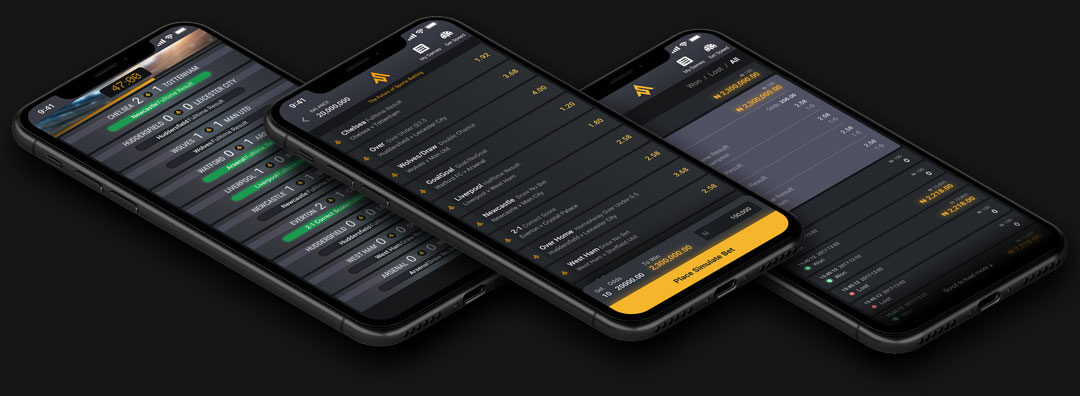
We tested the interface using Figma's prototyping tools to check how it all fits together.
Interaction animations were tested using After Effects. Easing and timing were fine-tuned here.
Open link to video prototype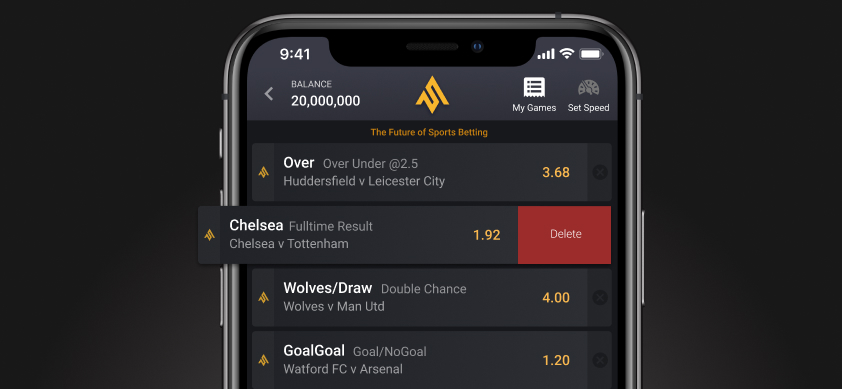
Development
Teaming up with the developers
Team huddles with PM, BE, FE and design happened frequently to keep everyone aligned.
I supported FE developers by creating animations for micro-interactions and page state transitions — this illustrated exactly what we had in mind.
User Testing
Did we solve our users' problems?
We now had a working product for end-to-end user testing. We ran internal tests first, then launched to 200 real users — looking for bugs and gathering usability feedback.
General reception was positive and people were eager to play. But we found:
- Realism was off — users felt there were too many consecutive goals in a short space of time.
- Users had to move back and forth between the game and host site to add different events to their selections.
Takeaways
The steps of product design don't always work in the same order — it depends on scope, launch environment, trade-offs, and team experience.
When communicating animations, using illustrations to explain how you see it being assembled helps developers understand the intent. Only once the idea is understood can the developer solve the problem.
Developing the relationship between developer and designer is vital. Trust and respect are the cornerstones of this.
Next Steps &
Refinements
The MVP was successful. What now?
After the success of Simulate, we refactored the webapp — expanding the Figma component library into a developer-facing Storybook library. I go into more detail about design system building in the NovaHub case study.
Further features developed:
- User interactions during the match
- More in-match events (attacking play, offside)
- A desktop interface for cashiers and self-service
- Ability for users to stay within the webapp to add more selections
- A loyalty bonus scheme
The Numbers
July 2020 — MVP launched to 200 users. ~5k bets/day in the first 2 weeks.
September 2020 — Turbo speed and accept-new-odds features launched. 8k users, 120k bets/day.
December 2020 — Host mobile integration launched. Christmas Day hit 320k bets.
March 2021 — V2 Design System migration, cashier integration. Record 340k bets/day.
August 2021 — Steady at ~300,000 bets/day with 30,000 in retail.